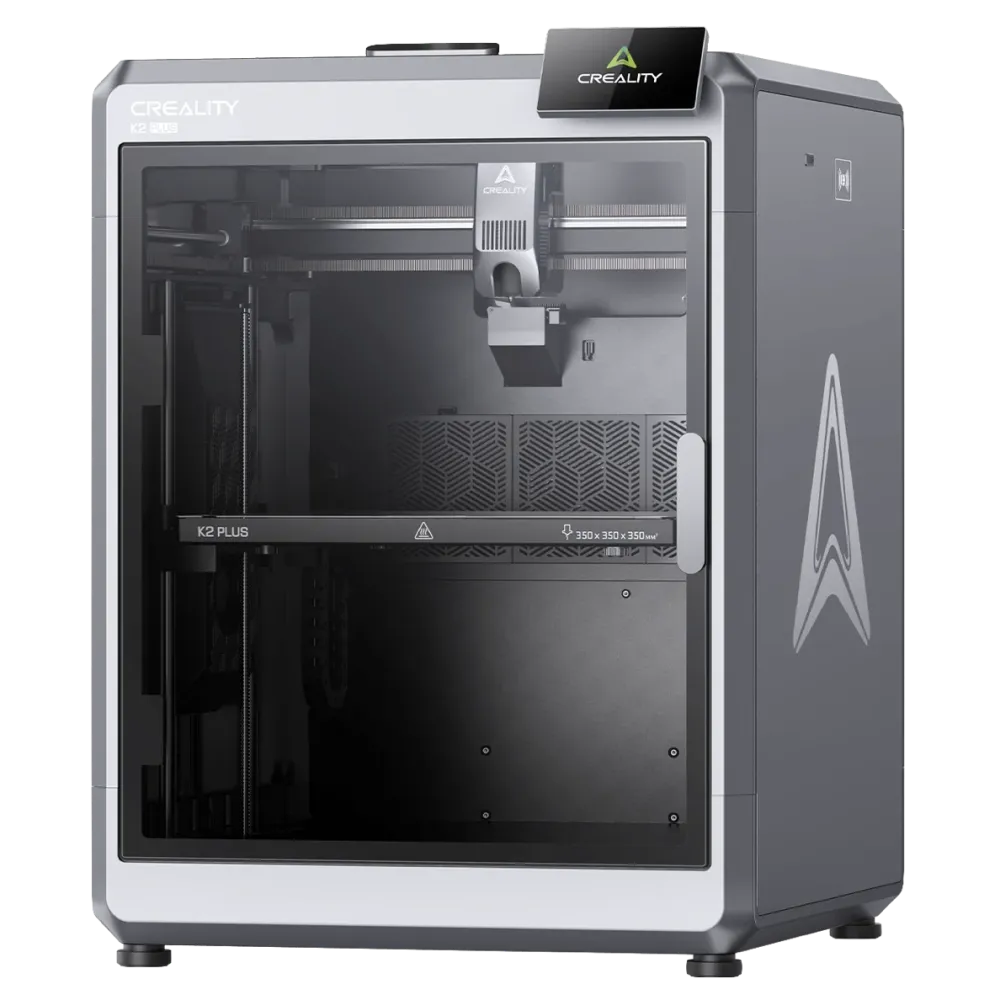
Creality K2 Plus
BUYNo major lifecycle, firmware, availability, or support warnings detected.
Data refreshed: 16 May 2026
Where to buy
Specifications
- Build volume
- 350x350x350 mm
- Build size class
- Large - Carry-on Suitcase
- Price
- €999 (solo)
- Enclosure
- Full enclosure
- Chamber control
- Passive Controlled
- Materials
- ABS · ASA · HIPS · Nylon (PA6/PA12) · PC · PC-ABS · PETG · PHA · PLA (all variants) · PVB · TPU · TPC · TPE
- Support materials
- —
- Bowden nozzle
- —
- Max hotend temp
- 350°C
- Max bed temp
- 120°C
- Max chamber temp
- 60°C
- Nozzle material
- Hardened Steel
- Hardened nozzle
- Included — CF/GF abrasive variants · Nylon-CF. While PC-CF not possible at this tier.
- Nozzle count
- 1
- Max filament inputs
- 16
- True multi-material
- —
- Tool change
- Single Nozzle Purge Based
Ownership
- Experience level
- Intermediate
- Assembly
- Minimal
- Auto bed leveling
- Automatic
- Auto Z offset
- Yes
- Auto first layer
- Yes
- Runout sensor
- Yes
- Spaghetti detection
- Yes
- Error guidance
- Error Coded
- Warranty
- 3-12 months
- Spare parts
- Partial
- Firmware version
- 1.1.5.5
Who this is for
The K2 Plus is well suited to experienced users who want a large enclosed workspace capable of engineering-grade materials — ABS, ASA, Nylon, and PC — at a scale that accommodates substantial single-piece parts. Buyers planning multi-color work should account for the add-on purchase and understand that the purge-based system suits color variation rather than true mixed-material printing. Beginners will find the build scale and optional multi-color workflow more demanding than the automation features offset — prior filament printing experience makes a meaningful difference here.
PrintSignals Review
Creality K2 Plus Review
Assessment
The K2 Plus sits at mid-cycle, with no imminent replacement indicated. Recent firmware activity confirms the model is actively maintained — both point to a low-risk purchase window. The manufacturer's overall support record is reliable, though official transparency when hardware problems arise is limited. Community-sourced fixes tend to fill that gap rather than formal responses, which is worth understanding before relying on official channels alone.
Build and print volume
The 350×350×350mm build volume is large — roughly the interior space of a carry-on suitcase — and suited to substantial single-piece structural parts. Full enclosure provides the thermal containment that engineering materials require, with a 350°C hotend ceiling and 120°C bed temperature making that range practical rather than theoretical. Chamber temperature is passively managed: the enclosure retains heat from the bed and motors rather than from a dedicated heater, reaching up to 60°C under manufacturer-stated conditions. Actual internal temperature varies with ambient environment and print timing, which matters for materials that depend on consistent heat.
Material capability
Multi-color printing needs the separately purchased multi-spool add-on, which adds 4 filament inputs upgradeable to 16 and enables automatic spool handoff for long prints. The reliable material range spans ABS, ASA, HIPS, Nylon (PA6/PA12), PC, PC-ABS, PETG, PHA, all PLA variants, and PVB; the hardened steel nozzle covers CF and GF abrasive variants and Nylon-CF, though PC-CF falls outside its capability. Direct drive hardware enables TPU, TPC, and TPE, though flexible materials are technically demanding and results depend on tuning. Multi-color swaps use a single nozzle with filament flushing — waste accumulates with each color change, and cross-contamination limits reliable mixed-material use.
Setup and ownership
The K2 Plus suits buyers with some prior 3D printing experience — the large build area and optional multi-color workflow add complexity that benefits from familiarity. Assembly is near-complete out of the box, with most buyers reaching first print in under 15 minutes. Automatic bed leveling, Z-offset calibration, first-layer calibration, filament runout detection, and print failure detection handle the routine tasks most users encounter. The firmware abstracts many steps but occasionally requires manual input — numbered error codes appear on screen and can be looked up on the brand wiki, though no QR shortcut is included.
Support and longevity
Spare parts have partial official availability — some common wear items can be sourced directly from the manufacturer. Warranty coverage ranges from 3 to 12 months depending on component, with the component tier determining what is covered and for how long. The ecosystem is semi-open: the printer works with third-party slicers and filament, and community modifications are available for buyers who want to extend the setup. Some smart features and integrations require Creality's own software, which limits full workflow portability to open alternatives.